Yard and dock
Yard and dock management software from gate to door
Appointments, gate check-in, a live yard map and dwell clocks, from the gate to the door.
What it does
- Dock doors as a registry with type, equipment compatibility and temperature range.
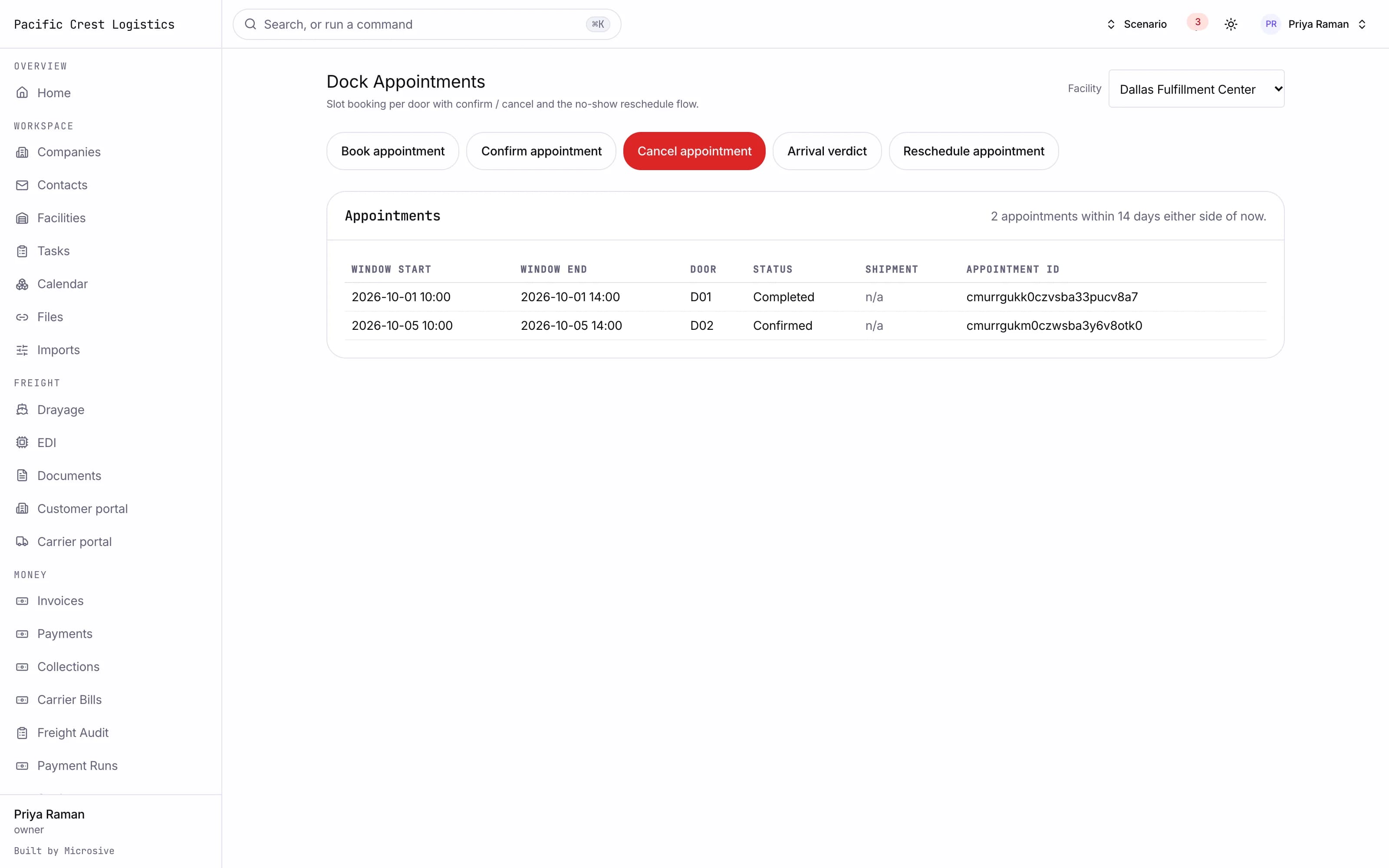
- An appointment calendar per door with slot length, booking cutoffs and capacity, and a portal where carriers and customers book their own slots against the same rules.
- Gate check-in and check-out recording the trailer, seal, driver and photos.
- A gate photo read that pre-fills the trailer, container and plate numbers on the check-in for the clerk to confirm.
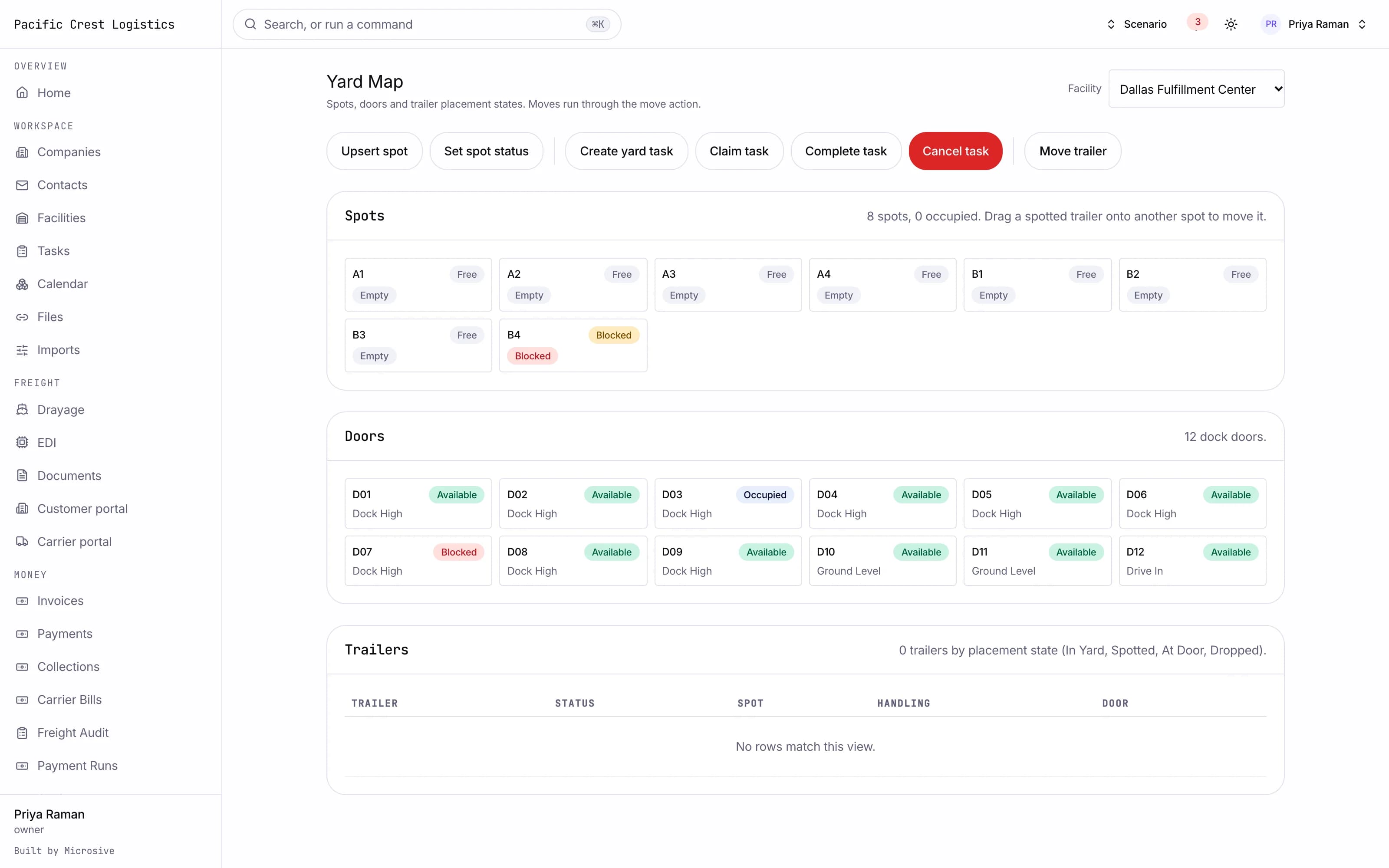
- A yard map of spots, doors and trailers by status, where a spotted trailer is dragged from one spot to another.
- Yard tasks as a queue for the spotter moves, with claim, complete and cancel.
- Dwell and detention clocks per trailer from the gate check-in and check-out times, with the detention owed to each carrier recorded per visit.
- Live and drop load handling.
- No-show and late handling with rescheduling.
- Dock door utilization analytics.
See the workflows
- 01Appointment to door
The carrier books in the portal against your rules, the appointment lands on the calendar, and the door is held for the slot.
- 02Gate to yard
The driver checks in, the seal and photo are recorded, and the trailer is spotted on the map where the spotter can see it.
- 03Dwell to detention
The clock runs from arrival, the dwell view shows what is free and what is chargeable, and the detention owed is recorded per visit.
The carrier books in the portal against your rules, the appointment lands on the calendar, and the door is held for the slot.
Works with the rest of the system
One record moves through every module, so nobody re-types it.
Related guides
What you get
- 3steps
On one record, from the booking to the bill.
- 14days
Most builds are handed over in 14 days; your timeline is confirmed in writing after the onboarding call.
- 3months
Free support after handover.
- $0
Per truck, per dispatch or per client.
Questions
Can carriers book their own slots?
Yes, through the portal, against the same slot length, cutoff and capacity rules your calendar uses.
How is detention calculated?
From the gate check-in and check-out timestamps on the visit, with the free time your rules allow, and the detention owed is recorded per visit.
What happens to our door and appointment setup?
Free migration: we review your data with you, agree what moves where, and move it into your new system at no cost. Migration time is agreed at onboarding and comes on top of the build. If your current vendor makes exporting hard, we work with their support or build a workaround.
Who owns the system?
You do. The code and the data are yours, and the system runs on your own server, which we set up for you. There are no per-truck, per-dispatch or per-client fees.