Analytics and Ask AI
Logistics analytics software with plain-English questions
Dashboards per role, a report library, saved reports of your own, and questions asked in plain English over the same numbers.
What it does
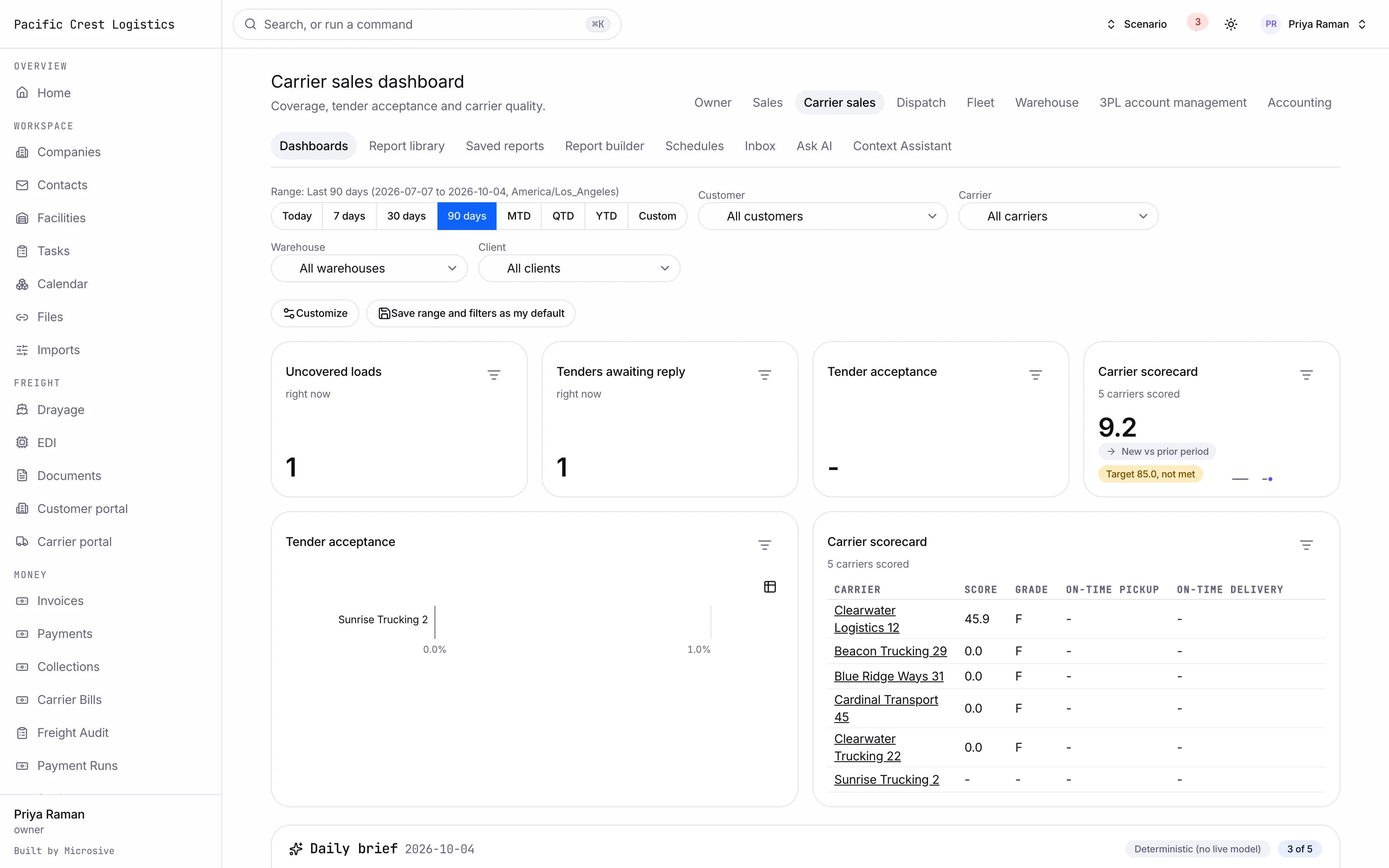
- A dashboard per role: owner, sales, carrier sales, dispatch, fleet, warehouse manager, 3PL account manager and accounting, with every tile a live query.
- Widgets you add, remove, resize and reorder, saved per user.
- A date range and filters shared across the whole dashboard.
- Drill-down from every tile to the list behind it.
- A wallboard mode with auto-refresh and large type for the warehouse and the dispatch floor.
- A control tower with the map, the exceptions and today's numbers on one screen.
- A report library of at least thirty five reports, from lane and customer profitability to dock utilization, detention, claims and aging.
- A report builder: pick the dataset, the columns, the filters and the grouping, choose the chart, save it and share it.
- Scheduled reports sent by email and stored in the report inbox.
- Period comparisons, trend lines and benchmarks on the reports that carry them.
- Questions in plain English answered over the same datasets, with the answer and the query it ran shown together.
- Any report exported as CSV, XLSX or PDF.
See the workflows
- 01Dashboard to list
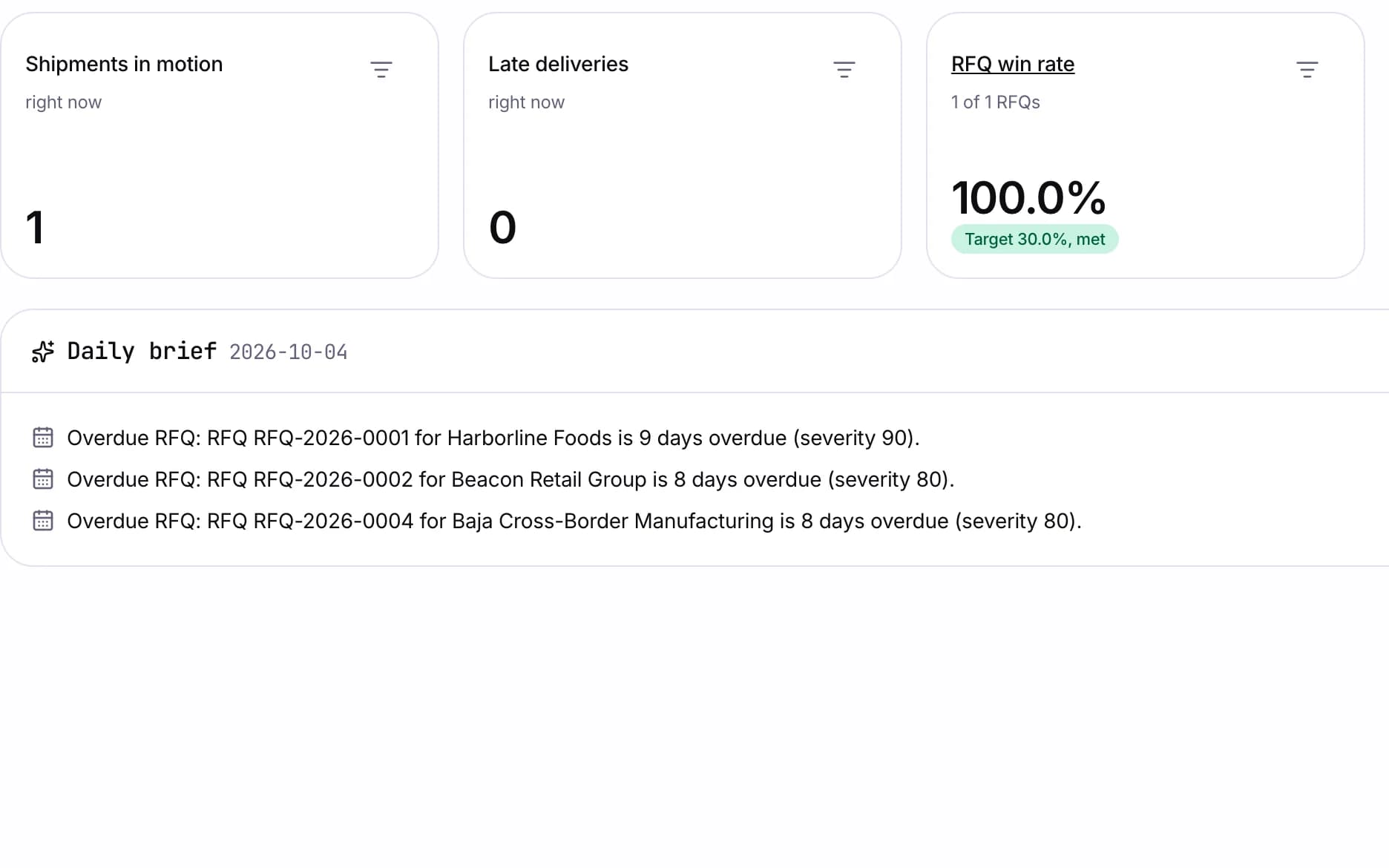
The tile shows the number, the drill-down opens the list behind it, and the same date range covers both.
- 02Build a report
Pick a dataset, choose columns and filters, save it to the library, and schedule it into the report inbox.
- 03Ask in plain English
The question is asked, and the answer arrives with the query it ran and the result table.
The tile shows the number, the drill-down opens the list behind it, and the same date range covers both.
Works with the rest of the system
One record moves through every module, so nobody re-types it.
What you get
- 3steps
On one record, from the booking to the bill.
- 14days
Most builds are handed over in 14 days; your timeline is confirmed in writing after the onboarding call.
- 3months
Free support after handover.
- $0
Per truck, per dispatch or per client.
Questions
Where do the assistant's numbers come from?
From a read-only query over your own data. The answer shows that query, and questions outside the data are refused.
Can we add our own report?
Yes. The builder picks the dataset, columns, filters and grouping, and the report is saved to the library and can be scheduled.
What happens to our saved reports and dashboards?
Free migration: we review your data with you, agree what moves where, and move it into your new system at no cost. Migration time is agreed at onboarding and comes on top of the build. If your current vendor makes exporting hard, we work with their support or build a workaround.
Who owns the system?
You do. The code and the data are yours, and the system runs on your own server, which we set up for you. There are no per-truck, per-dispatch or per-client fees.