3D load planning
3D load planning with axle weights checked first
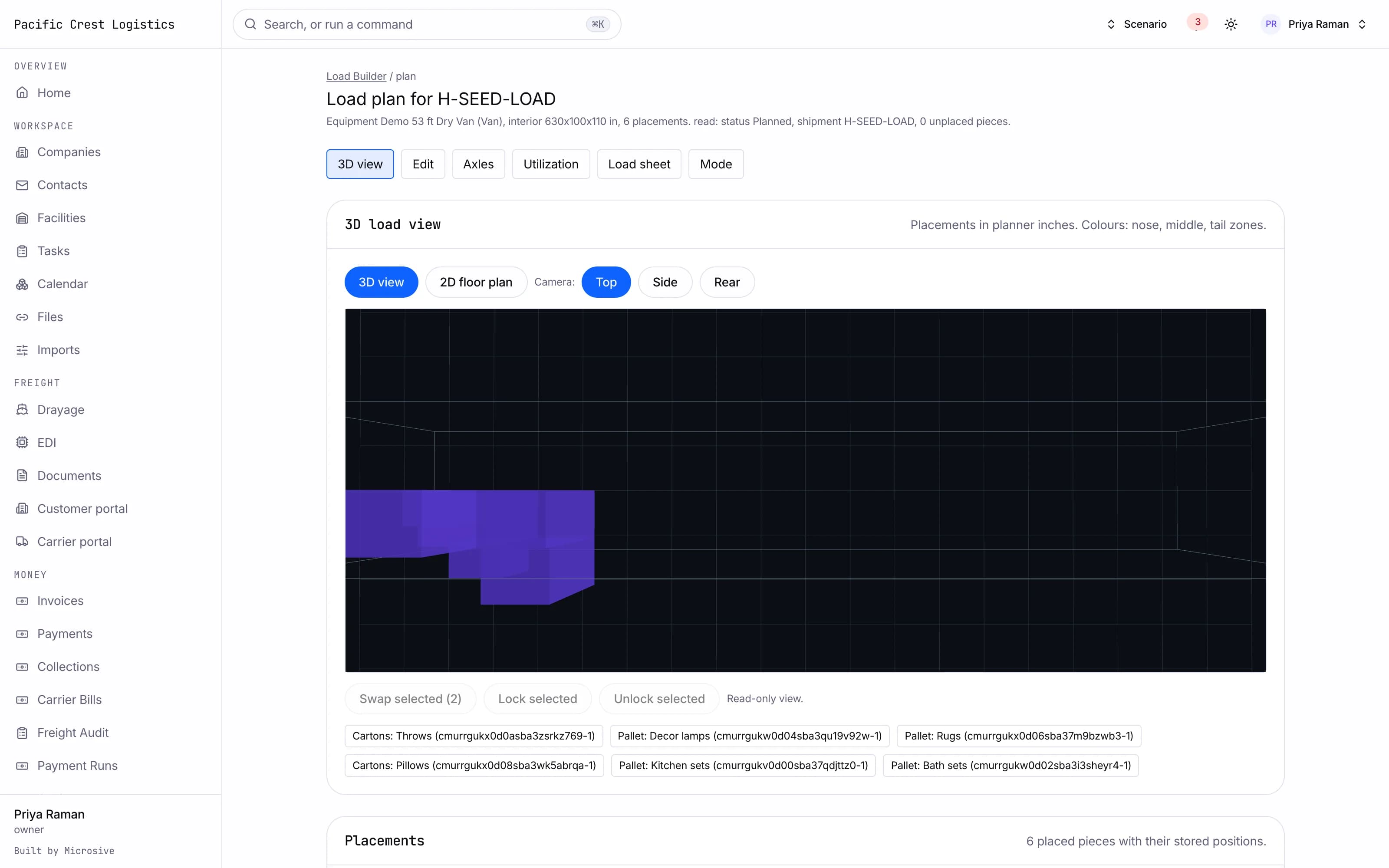
A plan that stacks the trailer in 3D, checks the axle weights and center of gravity, and hands the floor a numbered load sheet.
What it does
- An equipment library for trailers, containers and custom equipment, with the dimensions and limits the planner works against.
- Inputs from an outbound order, a shipment, a CSV, a packing list or typed in by hand.
- A pallet building stage that groups mixed cartons into pallets under your height and weight limits.
- Automatic planning that fills the trailer from the unit list.
- Constraints the planner respects: stackable, maximum stack weight, fragile on top, orientation, no cross-stop stacking, hazmat adjacency and at least 75 percent support under a unit.
- Axle weights and center of gravity with a rebalance suggestion and a slide tandem recommendation, checked as the plan is built.
- A 3D view with orbit and top, side and rear presets, a 2D floor plan and a per-stop unload view.
- Drag, swap and lock with live re-validation that says why a move was refused.
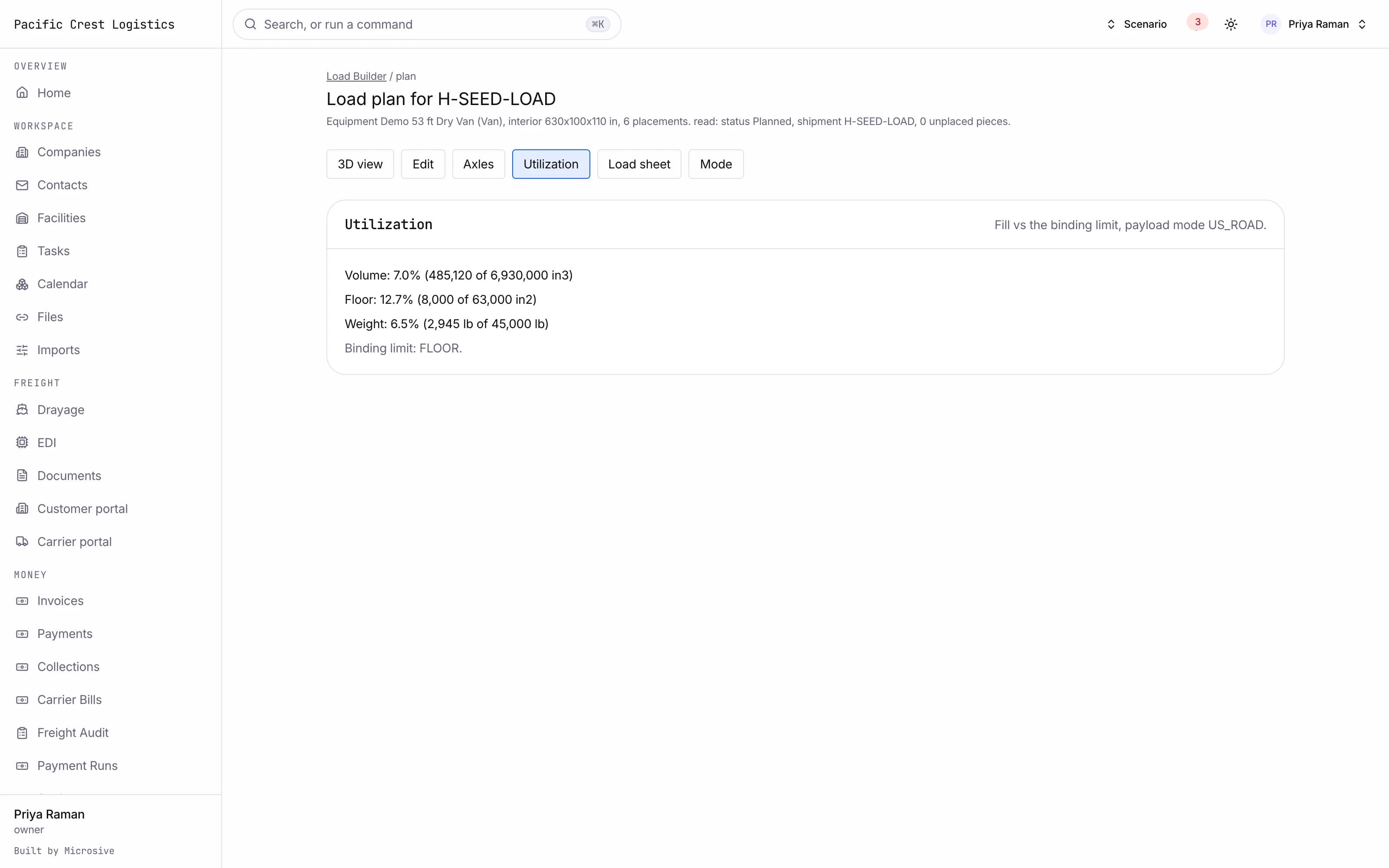
- Utilization in volume, floor space and weight, with the binding limit shown.
- A fleet mix recommendation when more than one vehicle could take the load.
- Container mode with the ISO and US road payload difference respected, and reefer and flatbed modes with their own load lines and overhang flags.
- A load sheet PDF with the numbered sequence, and a loader view on the scanner for the floor.
See the workflows
- 01Inputs to plan
The units come in from the order, the planner stacks them under the constraints, and the plan opens in 3D with the axles beside it.
- 02Check the axles
The weights are read at each axle, a rebalance is suggested when a limit is close, and the tandem slide is offered as the plan is built.
- 03Load sheet
The sequence is issued as a PDF for the floor, and the loader follows it on the scanner with the per-stop view.
The units come in from the order, the planner stacks them under the constraints, and the plan opens in 3D with the axles beside it.
Works with the rest of the system
One record moves through every module, so nobody re-types it.
Related guides
What you get
- 3steps
On one record, from the booking to the bill.
- 14days
Most builds are handed over in 14 days; your timeline is confirmed in writing after the onboarding call.
- 3months
Free support after handover.
- $0
Per truck, per dispatch or per client.
Questions
What happens when a plan breaks an axle limit?
The weights are shown as the plan is built, with a rebalance suggestion and a tandem slide recommendation.
Does the loader need a computer?
No. The load sheet is a PDF with the numbered sequence, and the loader view runs on a scanner.
What happens to our equipment library and saved plans?
Free migration: we review your data with you, agree what moves where, and move it into your new system at no cost. Migration time is agreed at onboarding and comes on top of the build. If your current vendor makes exporting hard, we work with their support or build a workaround.
Who owns the system?
You do. The code and the data are yours, and the system runs on your own server, which we set up for you. There are no per-truck, per-dispatch or per-client fees.