Booking and brokerage
Freight brokerage software from quote to covered load
Take the booking, find capacity, tender it and keep cost against revenue in view from the accepted quote to the covered load.
What it does
- A booking from an accepted quote, a contract rate, a customer portal request, an API call, a CSV or an EDI 204 order, without re-typing the shipment.
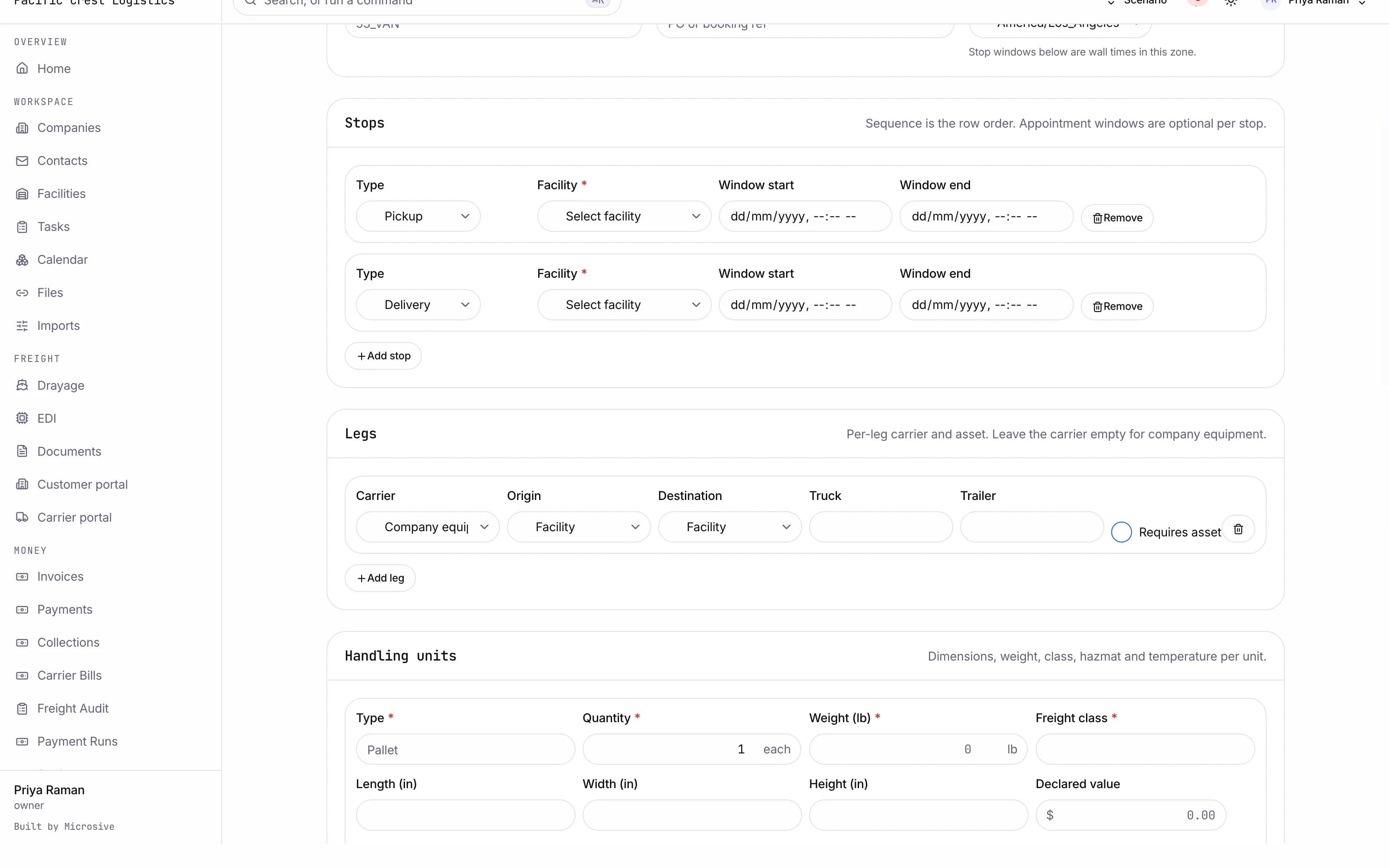
- Multi-leg shipments with a carrier and an asset per leg.
- Shipment status that rolls up from its legs.
- Cost against revenue on the shipment, updated as legs are bought and billed.
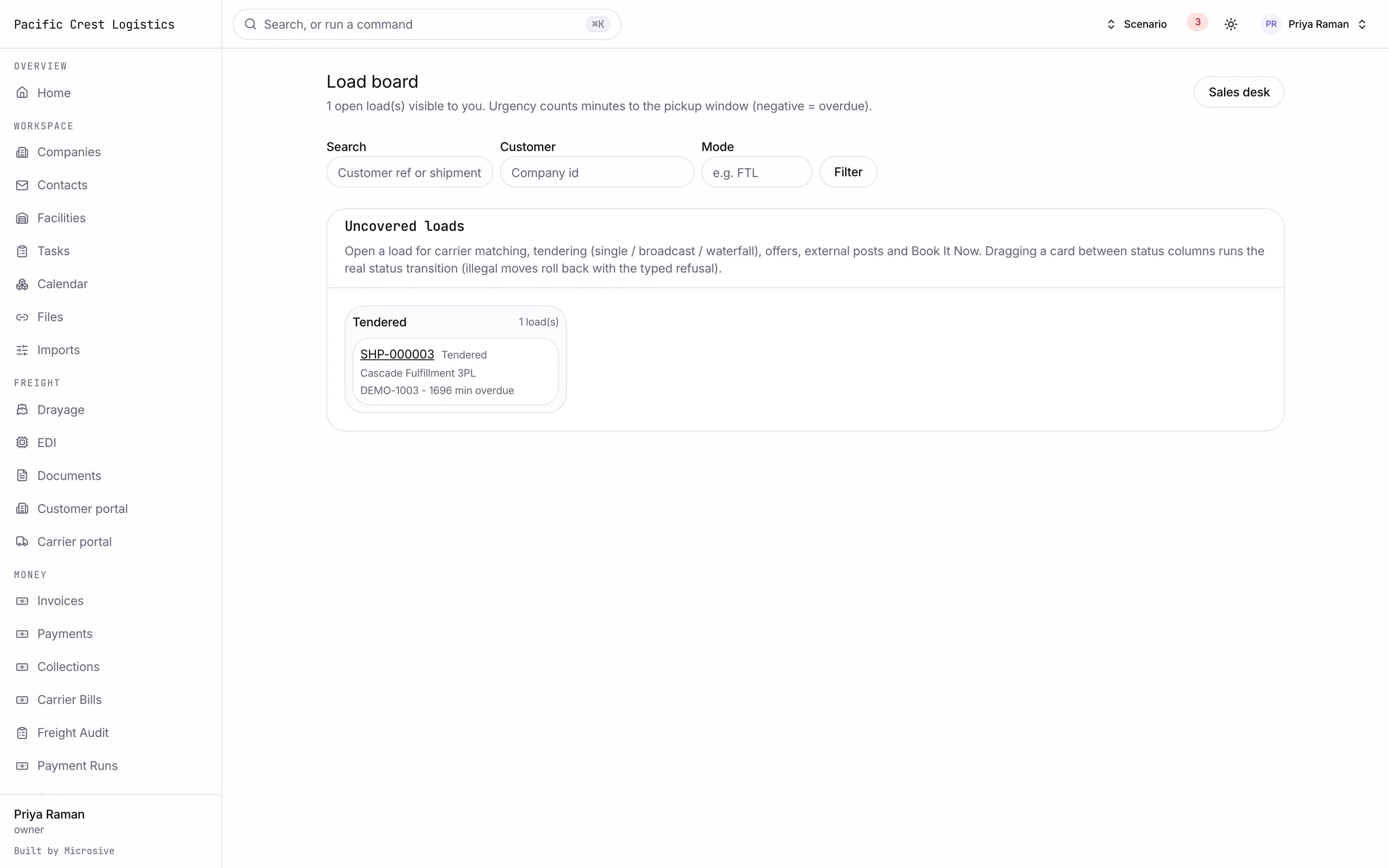
- An internal load board of uncovered loads with filters and an urgency column.
- Carrier matching that ranks carriers by lane history, preferred lanes, equipment, score and compliance, and says why each one is suggested.
- Tendering to one carrier, to a broadcast, or as a waterfall that advances when the clock runs out.
- Offers and counter-offers logged against the load.
- A rate confirmation PDF the carrier accepts in its portal, kept with the load.
- Instant booking: approved carriers accept a posted rate themselves in the portal.
- Double-brokering and fraud signals raised at tender time, which block a tender to a blocked carrier.
- Margin approval when the buy rate would take the load under your threshold.
See the workflows
- 01Quote to booking
The customer accepts in the portal and the quote becomes a shipment with its legs, references and commodities already filled in.
- 02Tendering
Matching ranks the carriers, you tender, and a waterfall moves to the next carrier when the response clock runs out.
- 03Rate confirmation
The rate confirmation is generated, the carrier signs it in its portal, and the signed copy stays with the load.
The customer accepts in the portal and the quote becomes a shipment with its legs, references and commodities already filled in.
Works with the rest of the system
One record moves through every module, so nobody re-types it.
Quoting and RFQ
One inbox for quote requests, carrier rates side by side.
Transportation management
Planning, dispatch, tracking and exceptions on one board.
Carrier compliance
Onboarding, insurance, authority and fraud checks before you tender.
Finance and claims
Invoices, carrier bills with 3-way match, settlements, claims.
What you get
- 3steps
On one record, from the booking to the bill.
- 14days
Most builds are handed over in 14 days; your timeline is confirmed in writing after the onboarding call.
- 3months
Free support after handover.
- $0
Per truck, per dispatch or per client.
Questions
Do carriers need an account to accept a tender?
They get a portal login when you invite them, where they see the tender, sign the rate confirmation and bid on posted loads.
Can we run our book by agent?
Yes. Agents see their own book and managers see the whole floor.
What happens to our carriers and lanes?
Free migration: we review your data with you, agree what moves where, and move it into your new system at no cost. Migration time is agreed at onboarding and comes on top of the build. If your current vendor makes exporting hard, we work with their support or build a workaround.
Who owns the system?
You do. The code and the data are yours, and the system runs on your own server, which we set up for you. There are no per-truck, per-dispatch or per-client fees.