3PL client portal
3PL client portal software your clients use themselves
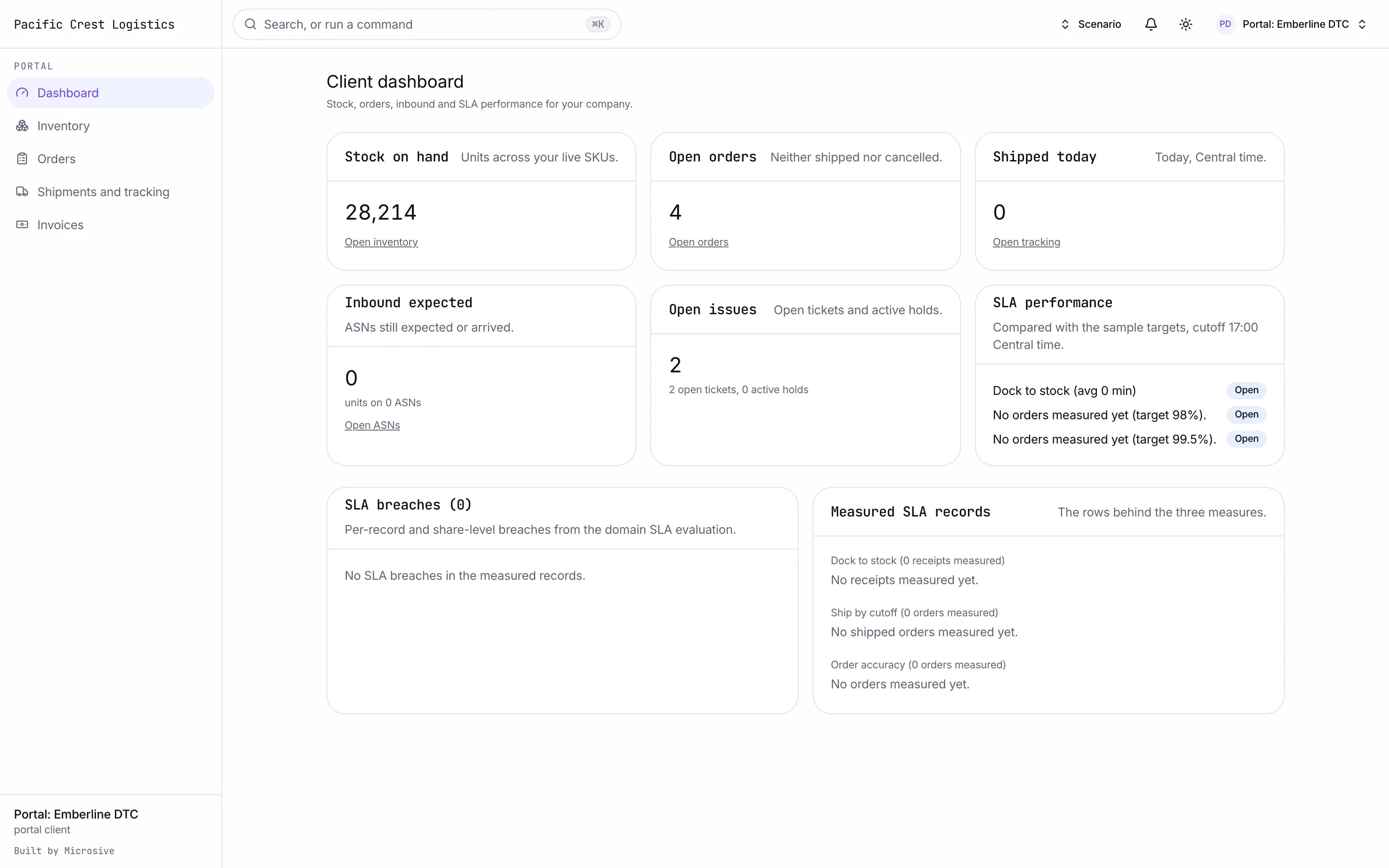
Stock, orders, shipments and invoices in front of your clients, scoped to their own data.
What it does
- A client dashboard with stock on hand, open orders, what shipped today, what is inbound, SLA performance and open issues.
- Inventory by SKU, lot, location and status with its history, downloadable when the client wants it outside the portal.
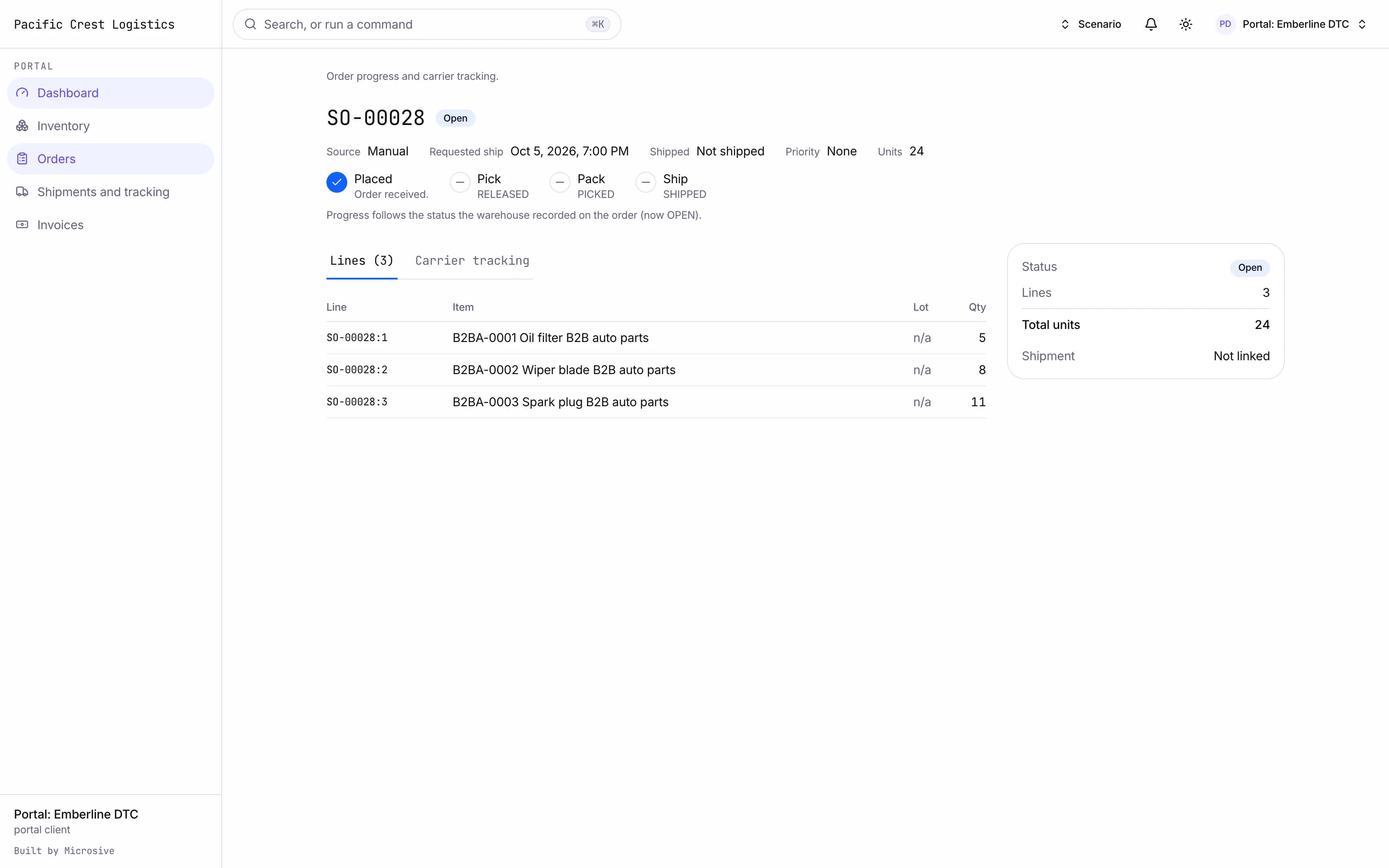
- Orders created in a form or from a CSV, tracked through pick, pack and ship with the carrier tracking beside them.
- Advance ship notices with receiving progress and the discrepancies shown with their photos.
- A tracking map for their own freight.
- Return requests with a status the client can follow.
- Invoices with the billing detail drilled down to the events behind them.
- Reports on inventory aging, order cycle time, SLA, accuracy and storage trend.
- Documents in one place: bills of lading, proofs of delivery, labels and invoices.
- Tickets and messages with your team.
- Client API keys and webhook subscriptions for orders, shipments and inventory.
See the workflows
- 01Order to delivery
The client creates the order, the warehouse picks, packs and ships, and the status and the carrier tracking move together.
- 02See the stock
The client opens its own inventory by SKU and lot, downloads it, and reads the history behind any balance.
- 03Invoices
The invoice opens to the charges that produced it, each traced to the event on the floor.
The client creates the order, the warehouse picks, packs and ships, and the status and the carrier tracking move together.
Works with the rest of the system
One record moves through every module, so nobody re-types it.
What you get
- 3steps
On one record, from the booking to the bill.
- 14days
Most builds are handed over in 14 days; your timeline is confirmed in writing after the onboarding call.
- 3months
Free support after handover.
- $0
Per truck, per dispatch or per client.
Questions
Can a client see another client's data?
No. Every record in the portal is scoped to the client that owns it, and the portal runs on the same permissions the rest of the system does.
Can clients place orders without emailing them in?
Yes, through the form or a CSV upload, and they watch the order move through pick, pack and ship from the same page.
What happens to our client accounts and their orders?
Free migration: we review your data with you, agree what moves where, and move it into your new system at no cost. Migration time is agreed at onboarding and comes on top of the build. If your current vendor makes exporting hard, we work with their support or build a workaround.
Who owns the system?
You do. The code and the data are yours, and the system runs on your own server, which we set up for you. There are no per-truck, per-dispatch or per-client fees.